Neurocontainer Copilot using Google Jules agent
While Neurodesk significantly reduces the friction associated with portability and reproducibility, incorporating new neuroimaging tools remains challenging. Incorporating new neuroimaging tools into Neurodesk is challenging due to setting the correct environment variables, finding specific versions of the software dependencies, version requirements, or specific build steps. However, writing accurate and efficient container recipes requires expertise in containerisation technologies and knowledge of software dependencies. Neurocontainer Copilot can help identify these details from provided documentation (README or installation documentation) and code samples. The development involves the following steps:
- We use existing Neurocontainer recipes to generate the recipes for new tools using LLM agents.
- We use the Google Jules agent to automate the process of generating Neurocontainer recipes.
- We use the generated recipes to create pull requests in the Neurocontainers repository, which can be reviewed and merged by the Neurocontainers team, or the user can use it to test the recipe locally.
In this example, we use the Google Jules agent to automate Neurocontainer recipe generation in the Neurodesk ecosystem.
After logging in with Google, you can access the Jules agent dashboard. You can create an environment and use the Neurocontainers GitHub repository as the base. Make sure to enable internet access so that the agent can search for relevant information online to assist with building accurate container recipes.
You can then start a new task, where you can provide the name of the tool you want to containerise, and the agent will generate a recipe for you. For example, if you want to containerise hcp-asl, you can provide the following prompt:
I want you to act as a Neurodesk recipe generator, compile the dependency lists required for the GitHub repository and install them in the neurodocker container format. Please follow the notation in https://github.com/Neurodesk/neurocontainers/blob/main/builder/README.md carefully. Now create a Docker
build.yamlforrecipes/hcp-asl/build.yamlbased on the hcp-asl https://github.com/physimals/hcp-asl/blob/master/README.md repository README.md file. Use the Neurocontainers GitHub repository; it contains examples such asrecipes/dsistudio/build.yaml. Note that if there are conda and pip installs, use them appropriately. Please follow the notation in https://github.com/Neurodesk/neurocontainers/blob/main/builder/README.md properly. Run therecipes/hcp-asl/build.yamlfile and recursively modify theneurocontainers/recipes/hcp-asl/build.yamlfile.
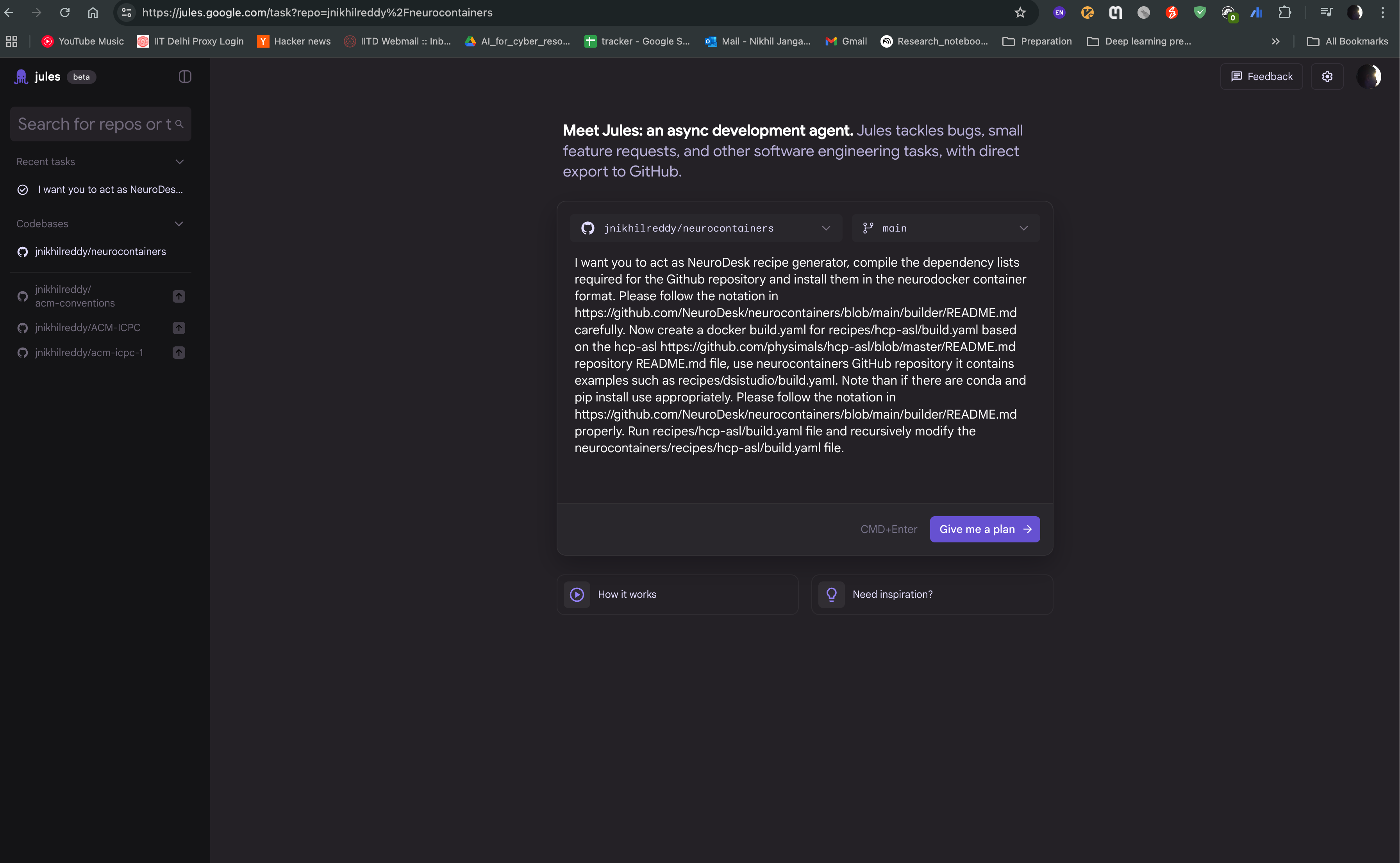
Create a new task by clicking on the “Give me a plan” button, and provide the prompt in the text box. You can also provide the link to the repository, so that the agent can access the documentation and code samples. Click on “Give me a plan” to start the task.
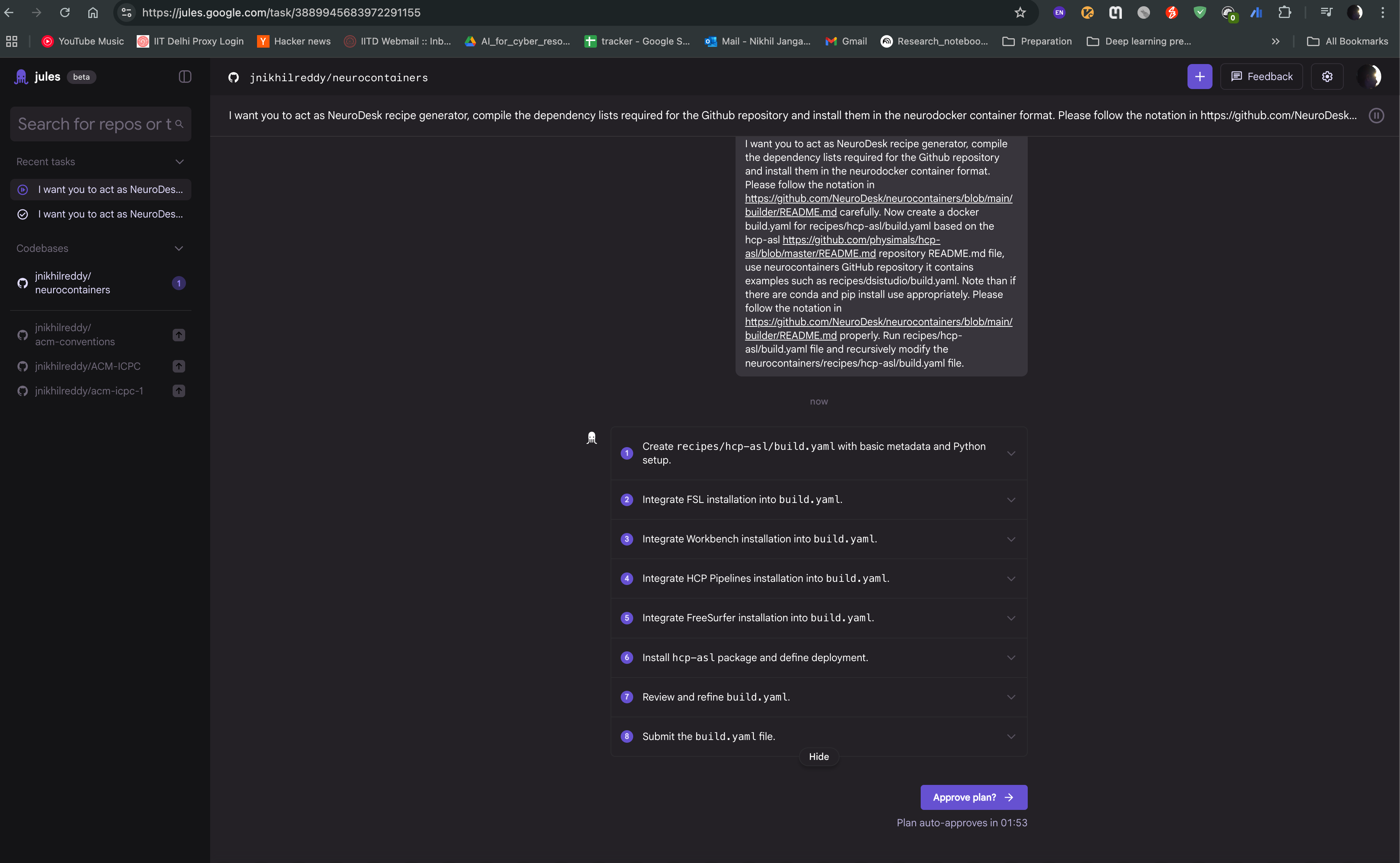
Jules agent will then start generating the recipe for you. It will read the documentation and code samples, and generate the recipe in the neurodocker format. You can see the progress of the task as shown in the image below. The agent will also provide you with the output of the task, which you can use to create the recipe.
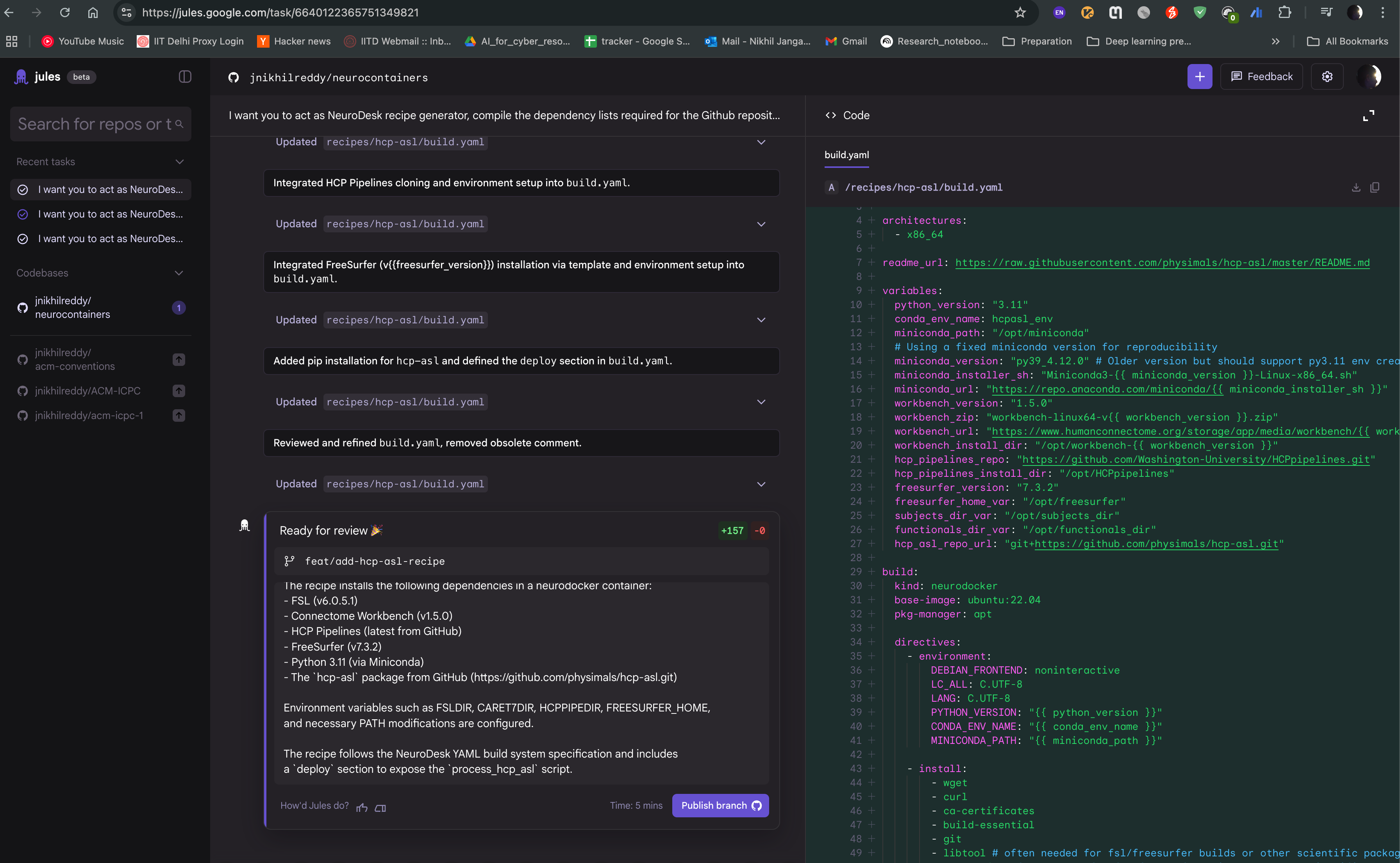
After the task is completed, you can see the output of the task as follows. The Jules agent will also provide you with build.yaml for the hcp-asl recipe, which you can use to directly raise a pull request to the Neurocontainers repository. You can also modify the recipe as per your requirements and test accordingly.